

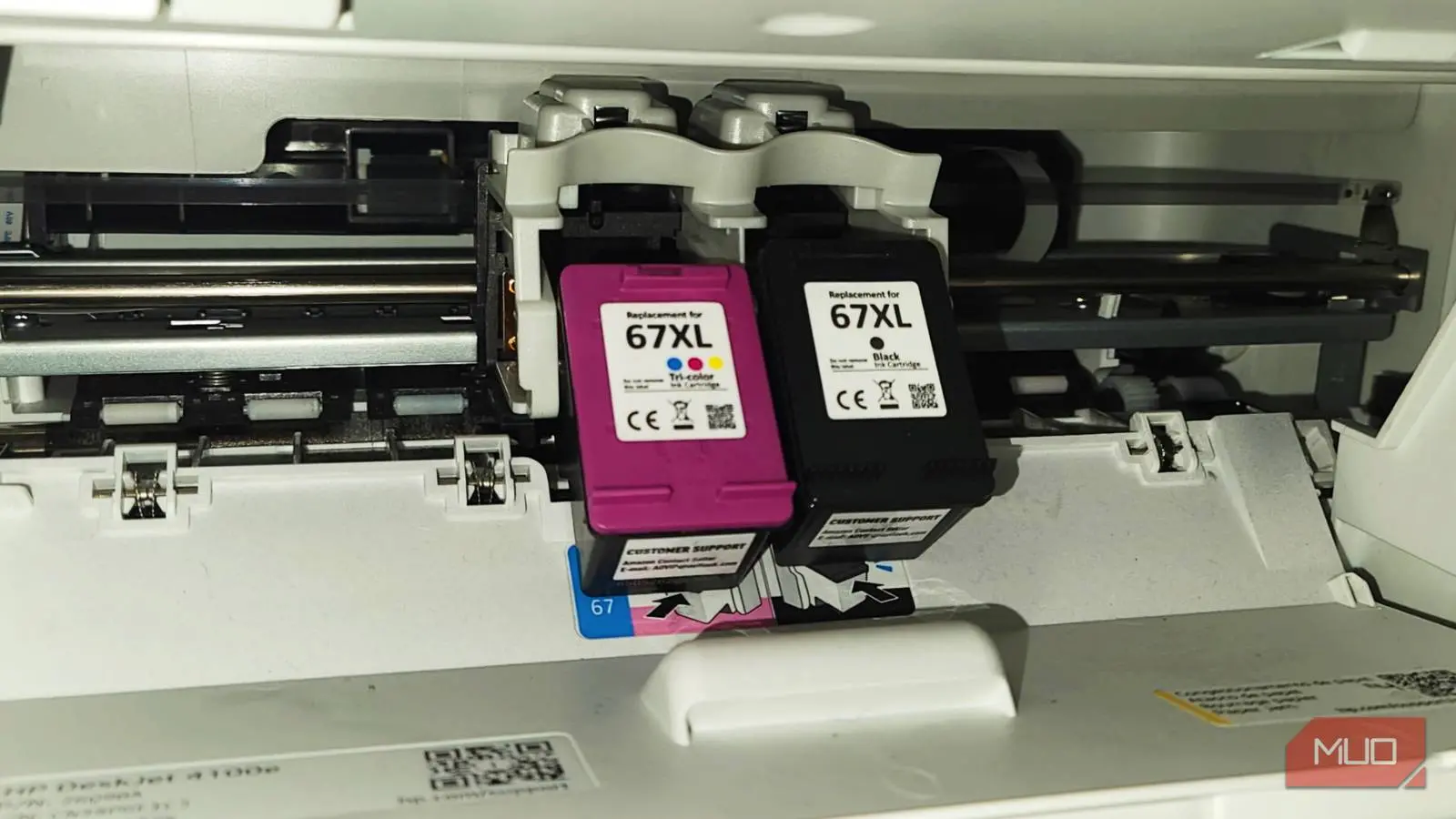
When it's time to replace empty printer ink, most people follow a routine they know well. You go down the office supply aisle or find an online store, look for your printer brand, match the colors it needs, and usually pick the box with the lowest initial price. This is a mistake. If you only match the brand and color and don't read the small print on the box, you'll unknowingly pay much more over the life of your printer. Similar to how you need to check different things when buying a new printer, you need to check a few things before buying the cartridges.
The true cost of your printer
You're not done when your printer is set up
To understand these hidden costs, you need to know about page yield. This number is usually in the small print on the side or back of the cartridge box. Page yield is the estimated number of pages a cartridge can print before it runs out of ink. These standard tests calculate page yields based on 5% page coverage. This is similar to an average business document with a little text.
Your actual printing might be different, but this standard page yield is important. If you don't read the page yield, you miss out on calculating your average cost per page. Once you know your yield, divide the cartridge's retail price by its stated page yield. For example, a $20 cartridge that only prints 200 pages means you're paying 10 cents for every page. That's the cost at some libraries. Some standard cartridges have very little ink, and you'll need to replace them often.
The true cost of your printer usually isn't what you paid for the machine at the store. It's how much you will pay over time. I get that calculating different costs and thinking about codes is boring, but you're making your printer more expensive by not doing this. So instead of only asking yourself questions when buying the printer, ask yourself what you need to print when buying the cartridges.
A printer that was cheap to buy can quickly become a huge financial burden if it uses bad, standard-yield cartridges that need constant replacing or mismatched cartridges. So you should know what the codes mean and how to apply them to your printer and printing habits.
Understand chemical codes and region locks
All those numbers mean something
When you look at the letters on your printer ink cartridges for your next refill, the difference between standard capacity and "XL" or "XXL" is important for figuring out your total printing costs. Even though the 'extra large' label makes it sound bigger, XL cartridges are actually the same size and fit into the same slot as standard ones.
I understand the confusion since bigger should really mean bigger. In reality, the difference is entirely in the volume of ink in the plastic tank. While standard capacity cartridges have a lower initial price, XL cartridges consistently offer a much lower cost per page. Switching from a standard to a high-yield cartridge can drop your printing costs by almost half.
If you print only a few pages every so often, a standard cartridge may be the better option since printer ink can dry out or expire if left unused for long periods. However, if you print often, ignoring high-yield markers like the "XL" or "XC" codes means you're paying more for packaging and replacing cartridges more often than you need to.
It's kind of like buying in bulk at Sam's Club or Costco. You know you'll need it before it expires, so you save a little in the long run.
Dye-based and pigment-based ink
Other than that, the branding and codes on your packaging also show the chemical makeup of the ink. Dye-based and pigment-based are the two main types.
Dye-based inks use color molecules that are fully dissolved in a liquid. This lets dye inks make vibrant, saturated colors and smooth visual blends. This is what you want if you're printing high-resolution photos. Dye inks can smudge easily when exposed to water and will fade much faster under sunlight or ozone.
Pigment-based inks use tiny solid particles of color floating in a liquid. Since these particles sit on the surface of the paper instead of soaking in it, they are much more durable and can handle water, moisture, and fading over time. While pigment inks may give slightly muted colors compared to dyes, they make the crisp, sharp text needed for professional documents and archival materials.
Regional code marks
Major manufacturers assign their printers to specific geographic regions and separate markets. The chip on the cartridge has a regional code that has to match the region in your printer's software. If you move to a new country or buy cheaper imported ink from an overseas online retailer, the printer's firmware will detect the region mismatch and stop the cartridge from working.
So you are better off just buying your ink locally, because resetting can be a hassle.
Alternative ways to save
There are ways around spending so much
Subscription programs from companies like HP can be a very good idea, especially for those who print on a predictable schedule. I used to use this service when my kids were in online school.
HP Instant Ink charges you based on how much you print instead of how much ink you actually use. With this setup, you pay a flat monthly fee for a certain number of pages. This means a high-density, full-color photograph costs the same as a page with a single line of black text. The printer monitors your usage through the cloud and automatically ships replacement cartridges right to your door before you run out.
I also got the printer paper part of the deal because that can get expensive, too. The company even refunded me for a month when I canceled, so I highly recommend this one.
If you aren't printing often, then you should be looking for high-quality third-party alternatives. Compatible and remanufactured cartridges can make professional-looking prints and save you a lot of money. These can be warehouse stores or just online. Just make sure you look at the chemical codes and the details explained earlier.
Printing is more expensive than it seems
It can sound really complicated once you learn everything you need to know about printer ink, but it is worth it in the long run. I actually saved money once I started buying the XL packs, just because print coloring pages pretty often since I have kids. So I don't need to replace empty cartridges as much. You could save yourself a lot of money the same way.
Source: MakeUseOf News